
HoloSwap:Ai photo,Chat,Video
MetaLemon Technology Co., LimitedArt & Design
2.325.00 Reviews
- Version
- 1.0.9
- Installs
- 100.00K
- Age Rating
- Everyone
Screenshots
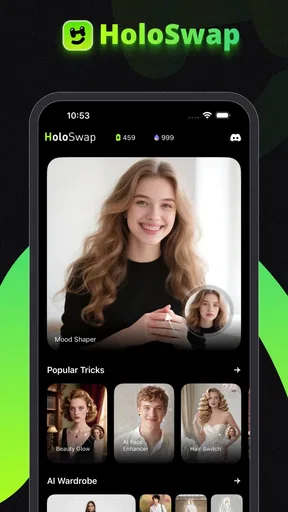
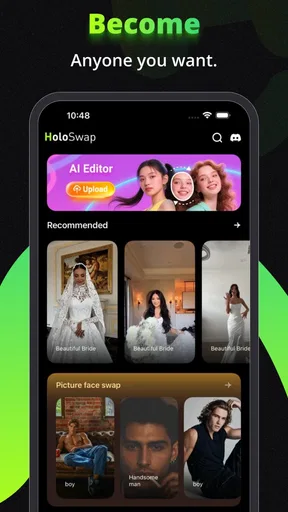
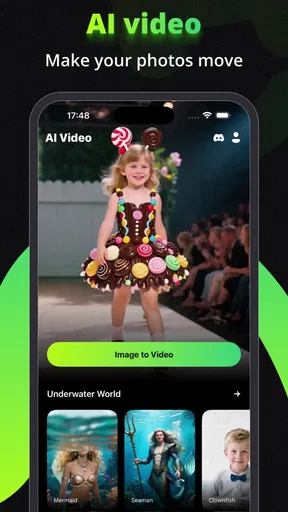
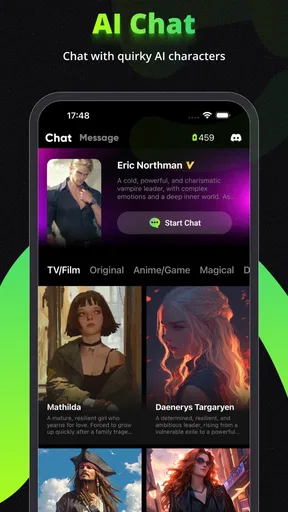
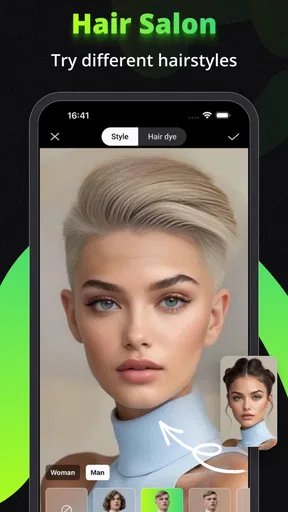
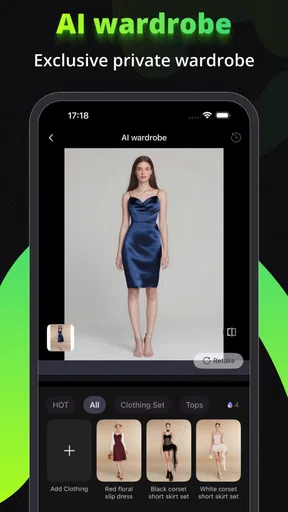
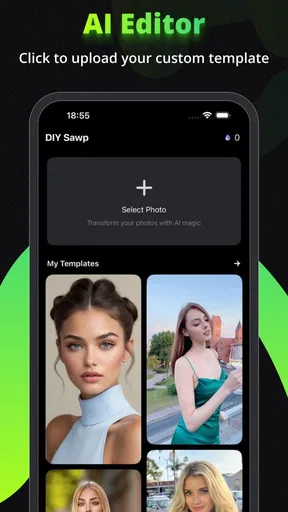
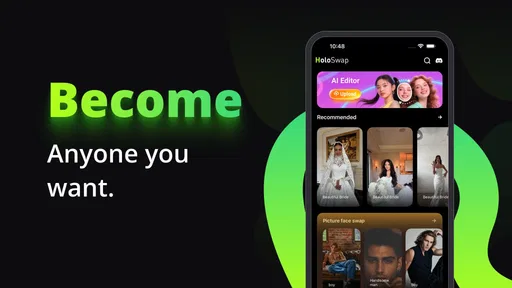
Our Review of HoloSwap:Ai photo,Chat,Video
 Analysis by Appyee
I find apps like HoloSwap: Ai photo, Chat, Video most enjoyable when I treat them as a quick creative detour rather than a tool I need to rely on. A funny face swap can turn an ordinary picture into a joke for a group chat, but the experience depends on having suitable media ready and being able to connect when the app needs to process or share it. That makes it useful for spontaneous play, with a few practical limits worth knowing before you start.
When the connection becomes part of the experience
Face-swapping is the main reason to open this app, and it is also where network conditions can matter. If you are choosing a photo, trying a video effect, or sending a finished creation, a weak connection may make the overall process feel less dependable. I would prepare the source image before starting and avoid beginning a time-sensitive edit when you are in a spot with unstable service.
That small habit helps keep a casual experiment casual. Pick a clear image, decide what kind of result you want, and then try the effect. When you are making something to share at a gathering, it is better to leave time for a retry than to assume a clip will be ready instantly. The app is aimed at playful transformations, not a production workflow where every step has to happen on a tight schedule.
Making it work in ordinary mobile moments
The strongest use case I see is a short burst of creativity: making a silly picture during a break, preparing a surprise for friends, or adding a comic twist to a family video. The chat feature gives those creations a direct social purpose, while the photo and video tools make it possible to choose between a still image and something more animated.
For a realistic example, imagine a family group sharing pictures from a weekend get-together. I would choose one suitable photo, make a single swap, check whether the result still looks funny when viewed at normal size, and only then send it. That is more effective than making a stack of near-identical versions and asking everyone else to sort through them. A quick preview also gives you a chance to notice whether the source image is too crowded or the face is at an awkward angle.
On a small phone screen, subtle flaws can be easy to miss. I would inspect the result before sharing, especially around the face and the edges where the swap meets the rest of the image. If it looks strange, changing the source photo is often a better next move than repeatedly adjusting the same one. Clear lighting and a face that is easy to see give the app a more useful starting point.
What to do when a result or send goes wrong
AI effects can be inconsistent from one image to another, so I would not count on every attempt being a keeper. A face turned away from the camera, partly covered, or lost in a busy frame can make a swap look awkward. The practical fix is to try a more straightforward photo rather than expecting the app to rescue every difficult source.
If an edit or share does not go through, first check the connection and try again with a smaller, simpler task, such as working from a still photo instead of a video. It is also sensible to keep the original media untouched so you can return to it if an experiment disappoints. For a joke meant to land in a live conversation, have a backup image ready rather than making the whole moment depend on one generation.
There is a difference between a playful miss and a useful failure. A visibly imperfect swap can be the joke, but if you want a polished result for a public post, the rough edges matter more. In that case, I would compare the output carefully and consider a conventional photo editor or a dedicated video-editing app when precise control is the priority.
Keeping your sharing choices deliberate
Because the app works with personal photos and videos, I would be selective about what I use and where I send the result. A face swap is still an edited depiction of a real person, so it is best to keep the joke friendly and avoid sharing something that could embarrass or mislead someone. For children using it, an adult should help decide which images are appropriate and who can receive them.
The app’s existing privacy reassurance is useful, but it should not replace a careful look at its current privacy policy or your own sharing judgement. I would avoid using sensitive images for casual experiments and think before sending a creation beyond a trusted group. The free download makes it easy to try, while in-app purchases are listed from $6.99 to $35.99 per item, so I would explore the basic experience before deciding whether any paid option is worthwhile.
HoloSwap is a better fit for people who want a quick, humorous image or clip than for anyone looking for a full creative suite. Traditional editors usually offer more deliberate control over layers, retouching, timing, and export choices; this app’s appeal is the face-swap idea and the low-effort fun around it. If you mainly want reliable, finely tuned edits, an editor built for that job is the more sensible choice. If you want a playful result to share with friends, the simpler approach is part of the attraction.
A quick fit check before you install
HoloSwap is a free art-and-design app from MetaLemon Technology Co., Limited. It is rated for Everyone and has reached over 100,000 installs, but its average rating is 2.4 from 360 ratings, which is a reason to keep expectations measured rather than assume every experience will be smooth. It was released on August 26, 2025, and version 1.0.9 requires Android 8.1 or later.
I would recommend it to someone who enjoys novelty effects, understands that AI transformations can be hit or miss, and is comfortable checking the result before sharing. I would skip it if you need consistent professional output, want detailed editing controls, or are uneasy about experimenting with personal photos in a connected app. It is also worth deciding in advance whether the fun is enough to justify exploring any paid options; the free starting point does not mean every part of the experience is free.
Have you ever wondered what it would be like to swap faces with your favorite celebrity or see yourself animated in a cartoon style? Well, let me introduce you to HoloSwap: Ai photo, Chat, Video, the app that promises to bring these fantasies to life with just a few taps on your smartphone. I recently had the chance to dive into this app, and boy, do I have some thoughts to share!
Getting Started with HoloSwap
First things first, downloading and setting up HoloSwap: Ai photo, Chat, Video is a breeze. Available on both Android and iOS, it’s just a quick download away. Once installed, you're greeted with a sleek and intuitive interface that guides you through the setup process. It’s like the app is holding your hand, gently nudging you to explore its myriad features.
Features that Stand Out
The app’s main attraction is, of course, the photo swapping feature. You can swap faces in photos with your friends, family, or even celebrities. The AI technology behind this is nothing short of impressive. It’s like having a mini Hollywood effects studio in your pocket. The results are often hilarious and surprisingly realistic.
But wait, there’s more! The app also offers a video feature that lets you swap faces in real time. Imagine FaceTiming with your buddy while wearing Tom Cruise’s face—or at least a digital version of it. The potential for pranks is endless, and I had an absolute blast trying it out.
Chat and Customize
Not just a one-trick pony, HoloSwap also includes a chat feature. While it’s not replacing your go-to messaging app anytime soon, it’s a fun addition that lets you send face-swapped images and videos directly to your friends. The customization options are plenty, too. You can tweak the intensity of the swap, add filters, and even animate faces to create short, quirky clips.
User Experience and Navigation
One of the things I appreciate most about HoloSwap is its user-friendly design. The navigation is straightforward, and the app runs smoothly without any noticeable lag. It’s designed to make the experience enjoyable rather than frustrating, which is a huge plus in my book.
I also love how the app integrates with your gallery, making it easy to choose images and videos to experiment with. Plus, it saves your creations within the app, so you can revisit and share them whenever you want.
Privacy Concerns?
Now, I know what you’re thinking—what about privacy? With any app that handles personal photos, this is a valid concern. HoloSwap assures users that it doesn’t store your data or images on its servers. Everything happens locally on your device. While this is reassuring, it’s always wise to read through the privacy policy thoroughly, just to be sure.
Who Would Love This App?
If you’re someone who enjoys playing around with photos and videos, loves a good laugh, or is simply curious about AI and face-swapping technology, HoloSwap is definitely worth a try. It’s a great way to add some fun to your day, whether you’re at a party or just chilling at home.
Parents might also find it entertaining for their kids, with the caveat of monitoring what they're sharing online. The app is engaging and can be a fantastic tool for creating hilarious family videos.
Final Thoughts
All in all, HoloSwap: Ai photo, Chat, Video is a delightful app that combines advanced AI technology with user-friendly features to bring a dose of fun to our everyday digital interactions. Whether you’re swapping faces with your favorite actor or creating a goofy video to share with friends, this app makes it easy and enjoyable.
So, if you’re looking for a creative way to spice up your social media or just want to have some laughs, give HoloSwap a download. Who knows, you might just find yourself spending hours exploring all the quirky features it has to offer!
Verdict
Strengths of HoloSwap:Ai photo,Chat,Video
- Seamless AI-generated photo transformations.
- User-friendly interface for easy navigation.
- Wide variety of customization options.
- High-quality video output capabilities.
- Regular updates with new features.
Limitations of HoloSwap:Ai photo,Chat,Video
- Requires a stable internet connection.
- In-app purchases can be pricey.
- Some features are locked behind paywalls.
- Occasional bugs in photo editing.
- Limited support for older devices.
Similar Picks in This Category
View All
Canva: AI Photo & Video Editor
Canva4.8

PENUP – Drawing-sharing SNS
Samsung Electronics Co., Ltd.4.5

Crafto
Kutumb App4.6

Sketchbook
Sketchbook4.1

ibis Paint X
ibis inc.4.5

Adobe Express: AI Photo, Video
Adobe4.6
Frequently Asked Questions
What is HoloSwap: Ai photo, Chat, Video used for?
HoloSwap is a versatile app designed to enhance your multimedia experience. It allows users to transform photos and videos using AI-powered tools, engage in seamless video chats, and share content effortlessly. Whether you’re looking to create stunning visuals or connect with friends, HoloSwap offers a comprehensive platform for all your needs.
Is HoloSwap free to use, or are there in-app purchases?
HoloSwap offers a free version with basic features, allowing users to explore its core functionalities. However, to access premium features like advanced AI tools and enhanced video quality, users can opt for in-app purchases. This tiered pricing ensures that you can tailor the app’s capabilities to your preferences.
How secure is my data on HoloSwap?
HoloSwap prioritizes user privacy and data security. The app employs encryption protocols to protect your data during transmission and storage. Additionally, it adheres to strict privacy policies and gives users control over their data, ensuring a secure environment for sharing and communication.
Can HoloSwap be used on both Android and iOS devices?
Yes, HoloSwap is available for both Android and iOS platforms. It is optimized to deliver a seamless experience on a variety of devices, ensuring that users can enjoy its features regardless of their operating system. The app’s cross-platform compatibility is perfect for users who switch between Android and iOS devices.
Does HoloSwap require a constant internet connection?
While some features of HoloSwap, such as video chat and cloud-based AI processing, require an active internet connection, other functionalities like basic photo editing can be used offline. This flexibility allows users to work on their projects without interruption, even when internet access is limited.
